Hi Ánh nam,
Running a business means juggling a dozen small decisions at once: which conversation needs a reply, what's overdue, who's calling and why. Most of that time goes to finding the answer, not acting on it.
This month's updates are about closing that gap. We've introduced an AI agent you can ask anything about your conversations and team, organized every task into one list, and more.
Here's what's new:
|
Stop searching and start asking with Quo Agent |
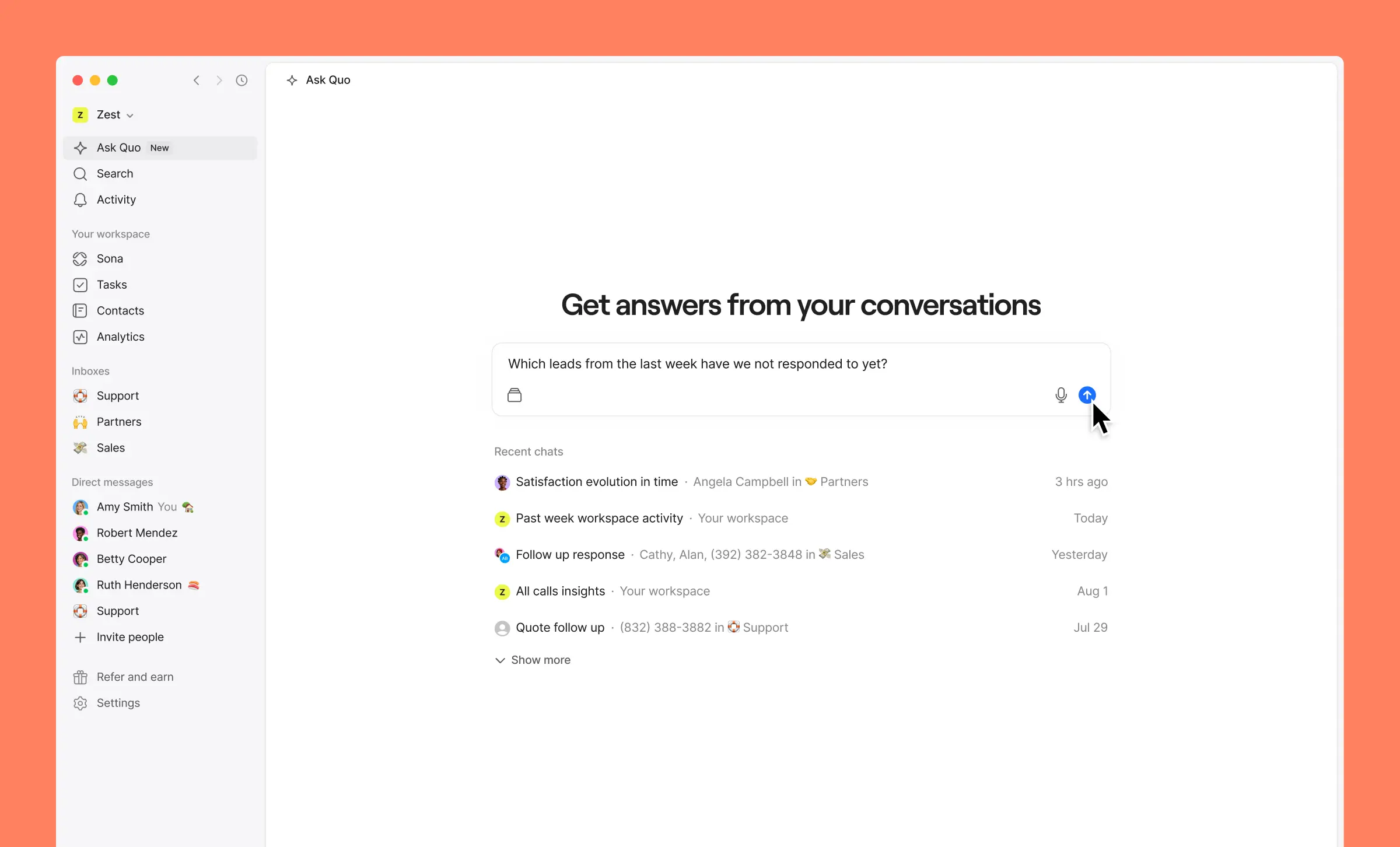
Quo Agent is an AI agent built into Quo. Ask it a question about your conversations, contacts, or team, typed or by voice, the same way you'd ask a teammate, and it answers using your actual workspace data. From there, it can help you act: draft a reply, create a task, or update a contact, always with your approval before anything goes out.
- Catch unanswered leads. Ask which inbound messages never got a reply, so nothing slips through.
- Find coaching moments. Understand what a conversation was really about before you review it with your team.
- Ask about a specific contact. Type @ and a name to pull up that exact conversation.
Quo Agent is free to use on every plan while in beta. Available on web and desktop only.
|
Tasks just leveled up: see all your tasks in one view |
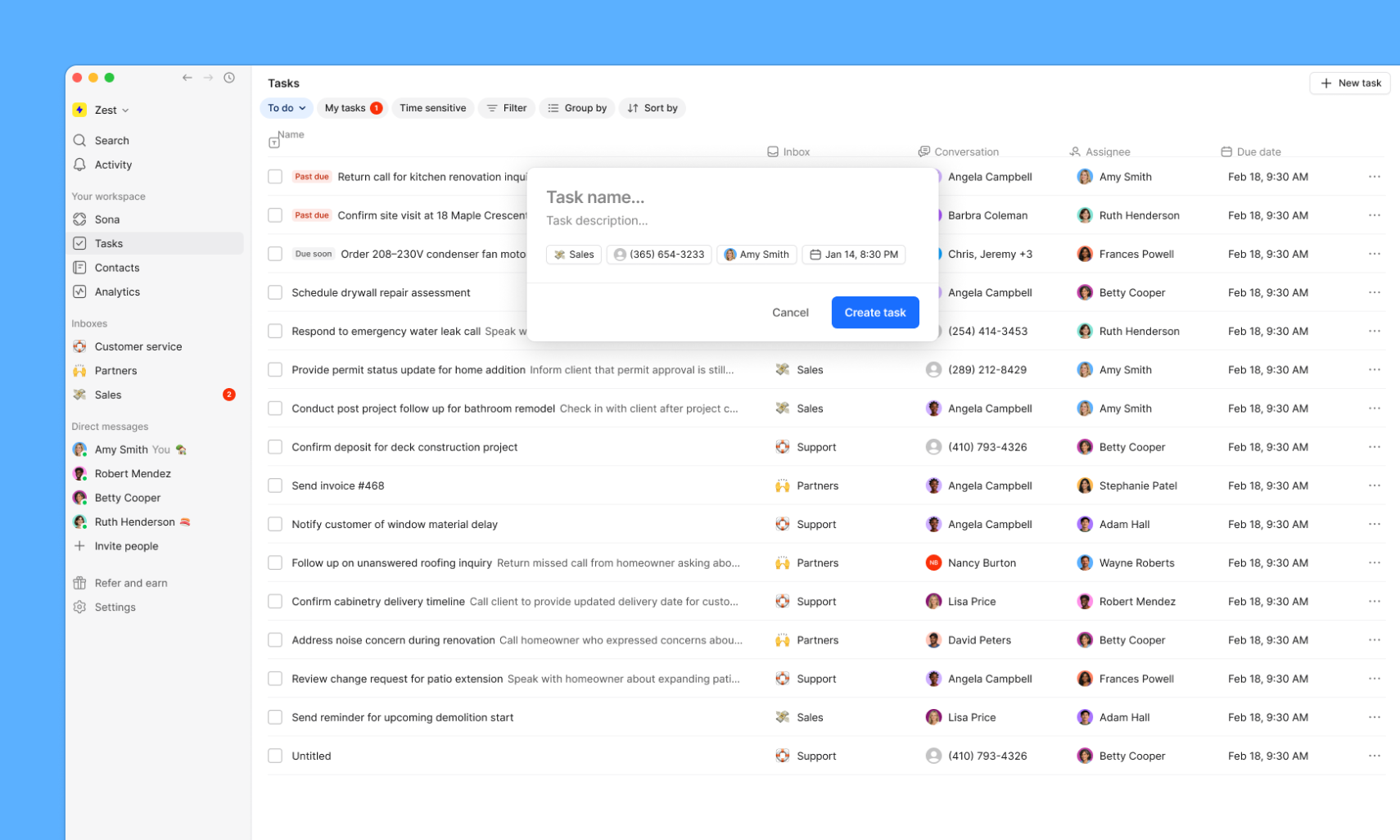
You already use Tasks to keep follow-ups from slipping. Now you can use them to run operations for your whole business, with one place to see them all, create new tasks, and stay on top of what's due.
- A new "Tasks" view. One global list of everything you have access to, across every inbox.
- Your overdue work, front and center. The "My tasks" filter shows a badge for what's overdue — only yours, never someone else's.
- Tasks that aren't tied to an inbox. Track business to-dos like license renewals or training without linking them to a number or contact.
Available to all Quo workspaces. Update your app for the best experience.
|
|
|
|
Route calls by custom contact properties |
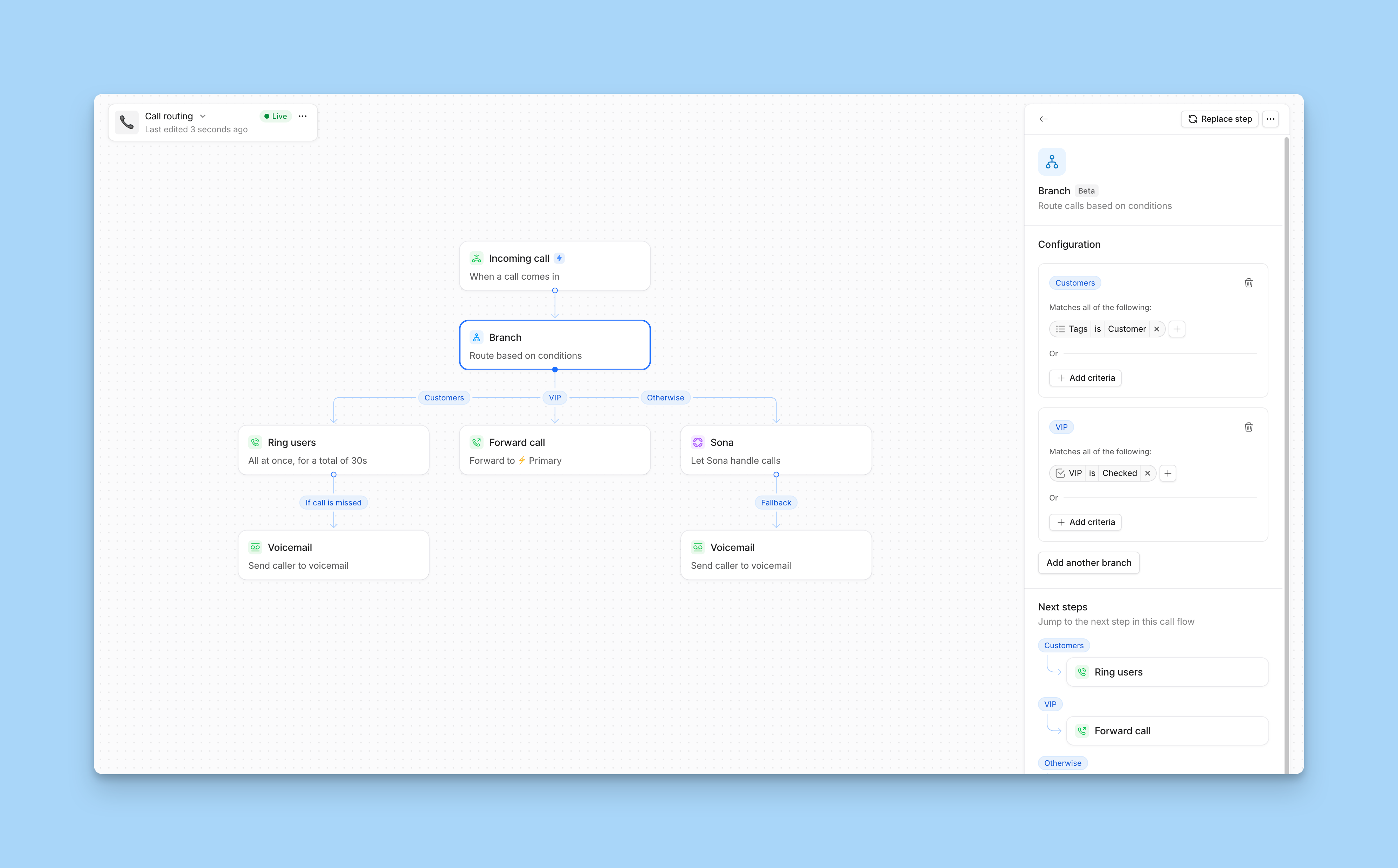
Contact routing started by telling known callers apart from unknown ones. Now it goes further: route by the tags and checkbox properties you already use to organize contacts — so VIPs reach a dedicated team or number, billing contacts land with billing, and you can combine more than one property into a single rule.
Available in beta on the Business and Scale plans.
|
Your other tools, now talking to Quo |
|
|
|
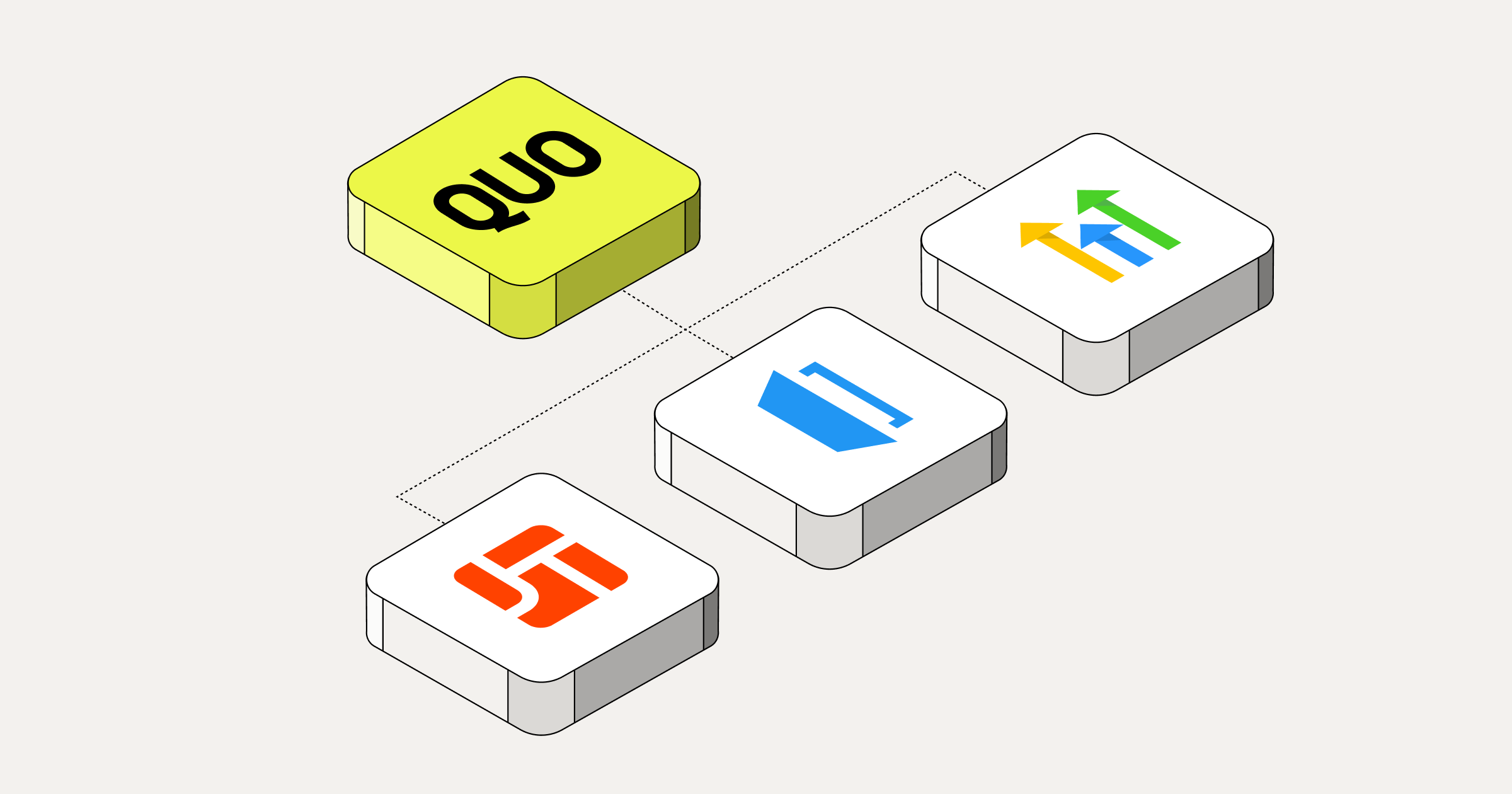
If you run your business on JobTread, HouseCall Pro, or HighLevel, Quo now stays in sync with more of it automatically:
- JobTread. Contacts sync both ways between JobTread and Quo, and matched calls and texts log to the customer's activity timeline. Business and Scale plans. Connect from Settings → Integrations → JobTread.
- HouseCall Pro. See who's calling without leaving Quo: HouseCall Pro customers import into Quo as contacts, and matched calls, texts, recordings, and AI summaries log straight to their most recent job. Available to HouseCall Pro customers on the MAX or XL plan. Connect from Settings → Integrations → HouseCall Pro.
- HighLevel. Contact edits now sync both ways instead of one, and activity posts to the contact's conversation panel instead of Notes. If you're already connected, disconnect and reconnect to start seeing activity in the right place. Connect from Settings → Integrations → HighLevel.
|
A few more things worth knowing about |
- Grok Bot joins Claude and ChatGPT as a way to run Quo from your AI tools. The Quo MCP server now works with Grok Bot. Connect from Grok Bot's Plugin Marketplace to summarize conversations, send texts, pull transcripts, and manage contacts — all with your approval before anything sends. Set up the Grok Bot integration.
- More customer context and better retrieval in the Quo API. The latest Quo API now reaches more of the customer record, including contact notes and individual properties, and offers new ways to discover conversations and available phone numbers. Broader message retrieval, richer call context, and more consistent query tools help developers and agents build integrations around the information they need. Explore the API docs.
- Sona for lead capture over SMS now emails you a summary. You’ll get the summary every time it captures a lead, on top of the in-product notification you already get. Set up Sona for lead capture.
|
That's all for now. As always, feel free to reply with any feedback on our latest releases and be sure to check out everything that's new on our changelog.
- We have an upcoming webinar you might find interesting. Discover how Quo's advanced features can help you streamline workflow and boost productivity to drive more revenue.
- Connect with other Quo customers, get first looks at what we’re building, and connect with the Quo team to influence what we build by joining our community.
|
Cheers,
Tina
Senior Product Marketing Manager
|
|
|
|
Ready to improve your team's communication?
|
Join thousands of businesses already using Quo to communicate better with their customers. |
|
|
|
Quo
2261 Market St PMB 4157
San Francisco, CA 94114-1612
🎁 Refer a friend to Quo and we'll give you a $50 gift card and your friend $20 once they've been a customer for 3 months. Cha-ching!
|
|
|
|
|
|



Đăng nhận xét