Hi Ánh nam,
A missed call or an unanswered text can be the difference between winning a customer and losing one to whoever calls back first. This month's updates are all about making sure that never happens, and about getting the right call to the right person from the first ring.
Here's what's new:
|
Never miss a lead again, even over text |
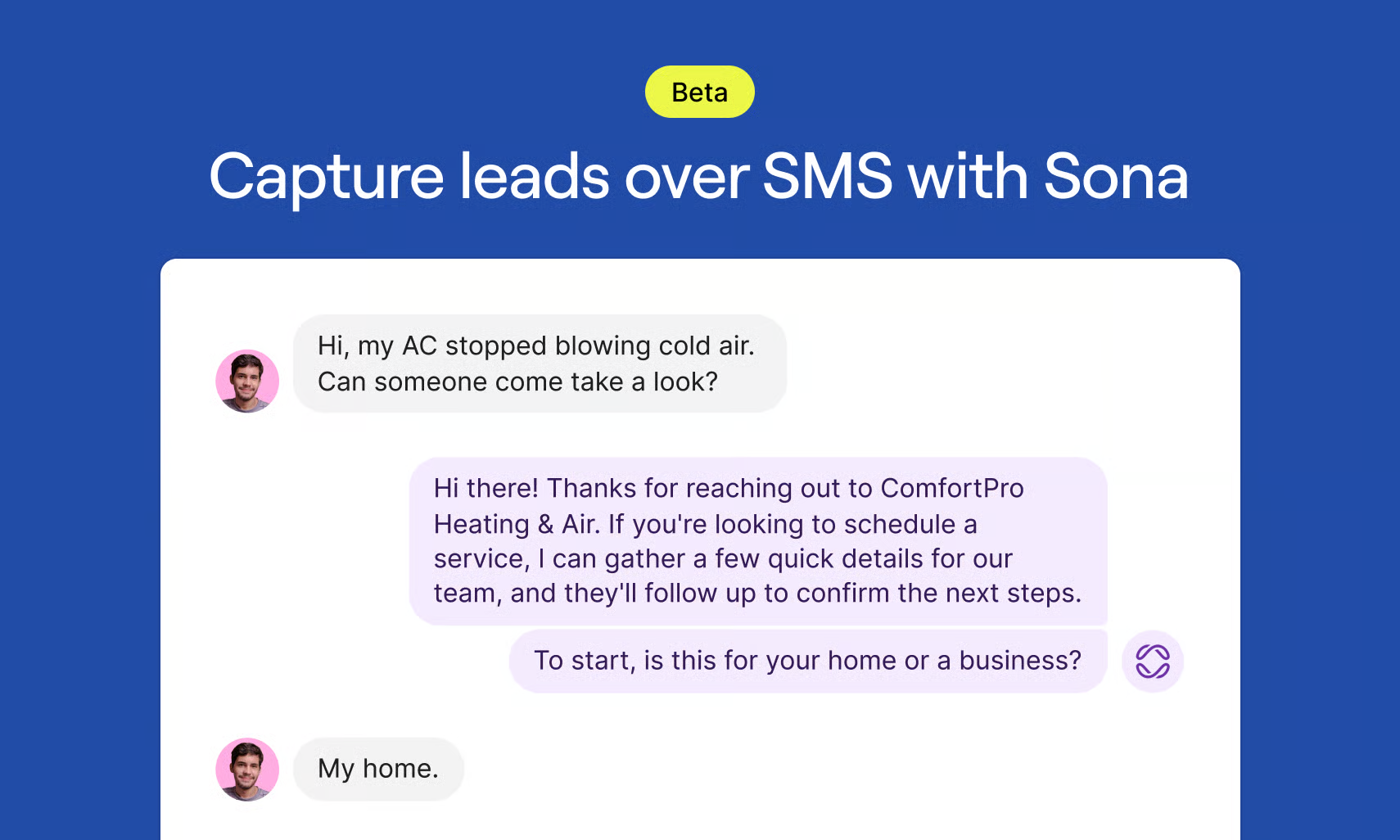
When a new contact texts in, or a call goes unanswered, Sona can now capture the lead over SMS. It answers questions using the knowledge you've trained it on, asks the right follow-up questions, and hands the conversation back to your team with a summary and full context.
- Respond instantly. New texts and missed calls get an immediate reply, any time of day.
- Ask the right questions. Sona qualifies each lead, so your team can act instead of starting from scratch.
- Stay in control. Watch Sona work in real time and jump in whenever you want.
- Set your hours. Choose whether Sona responds to messages during business hours, after hours, or all the time.
See how one company is using Sona to triage 80 leads a month without adding headcount.
Free to use on every Quo plan while it's in beta. We'll give plenty of notice if that changes.
|
Route calls based on who's calling |
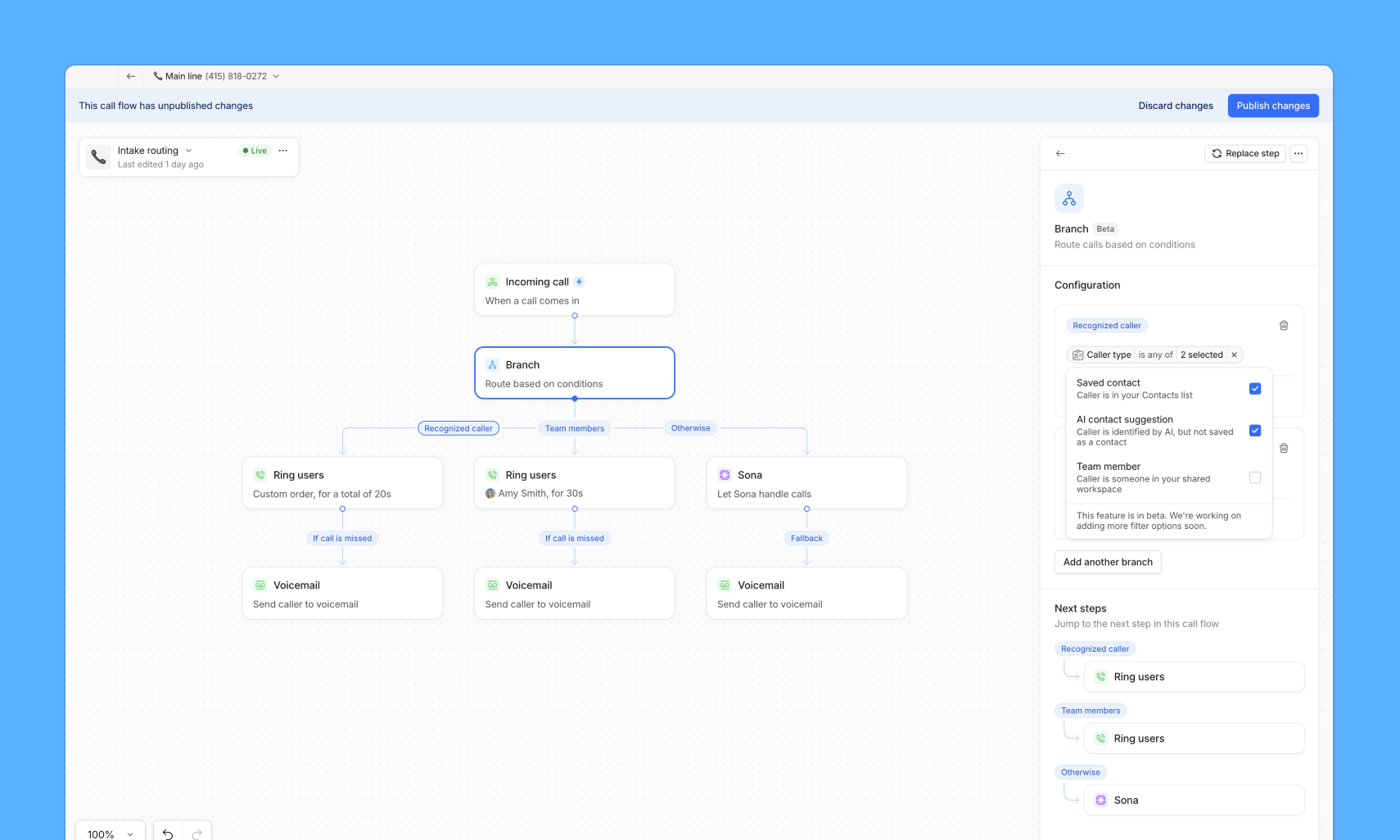
Every inbound call used to hit the same path in your call flow, whether it was a longtime client or a first-time caller. Contact routing changes that.
Add a contact routing condition to the branch step in your call flow to send calls down different paths depending on caller identity:
- Route by saved contacts. Known clients go straight to their assigned team; everyone else takes another path.
- Route by AI suggested contacts. Callers Quo already recognizes from a past voicemail or message get their own path, separate from both saved contacts and net new callers.
- Route by team member. Internal calls never land on your front desk or an external intake flow by accident.
- Flexible branching. Keep paths separate, or merge them into one "known caller" branch.
Available in beta on the Business and Scale plans, on web and desktop. If you’d like to learn about what’s included in the Business and Scale plans, please sign up for this webinar.
|
Name your call flow branches |
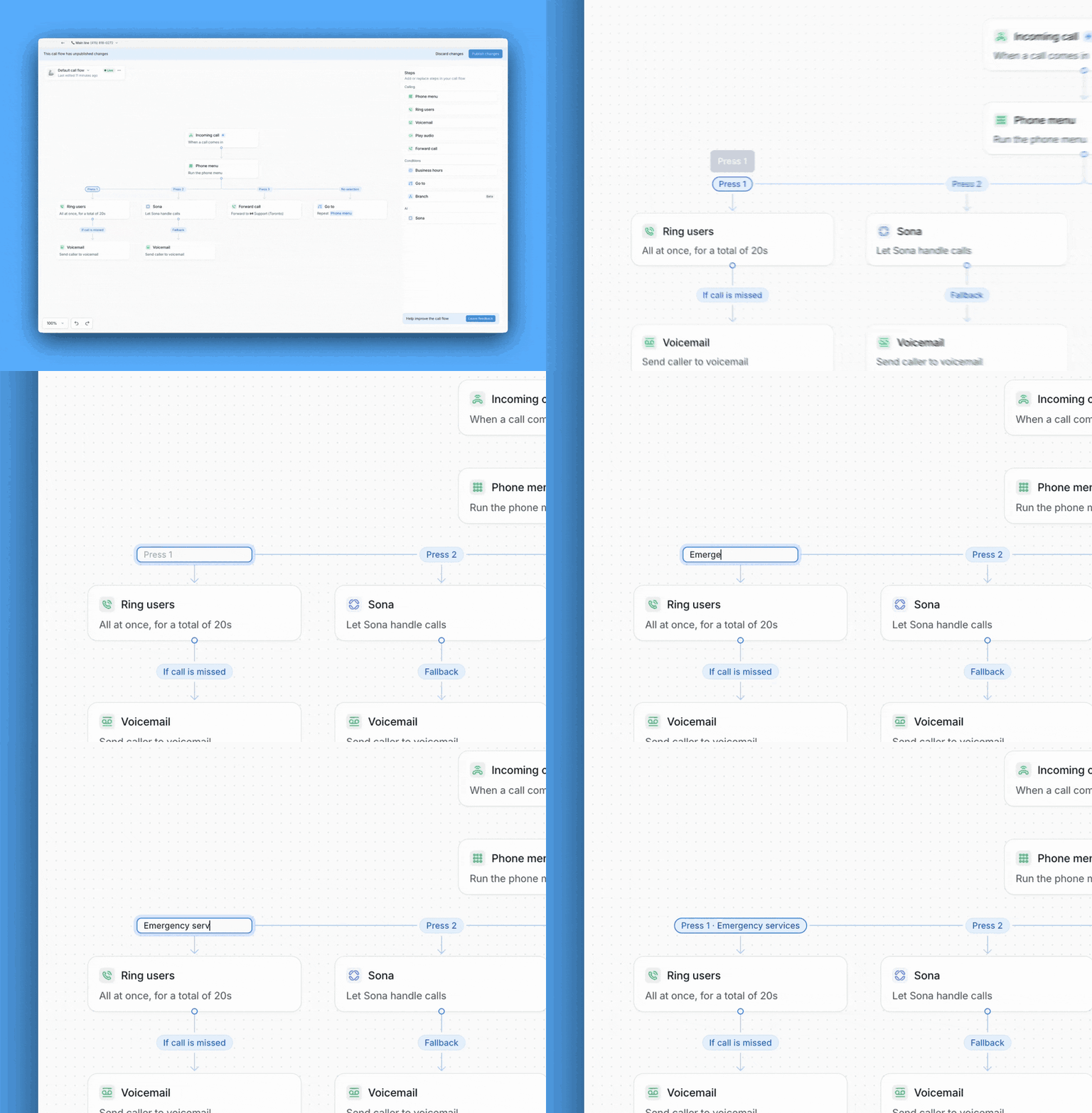
Your team can now see exactly what a caller selected in your phone menu, not just which key they pressed.
Double-click any branch in your call flow to label it — "Sales," "Support," "East Coast Team" — and that name shows up automatically on the incoming call screen and in your call activity.
Available on the Business and Scale plans.
|
|
|
|
Your Attio integration just got a two-way upgrade |
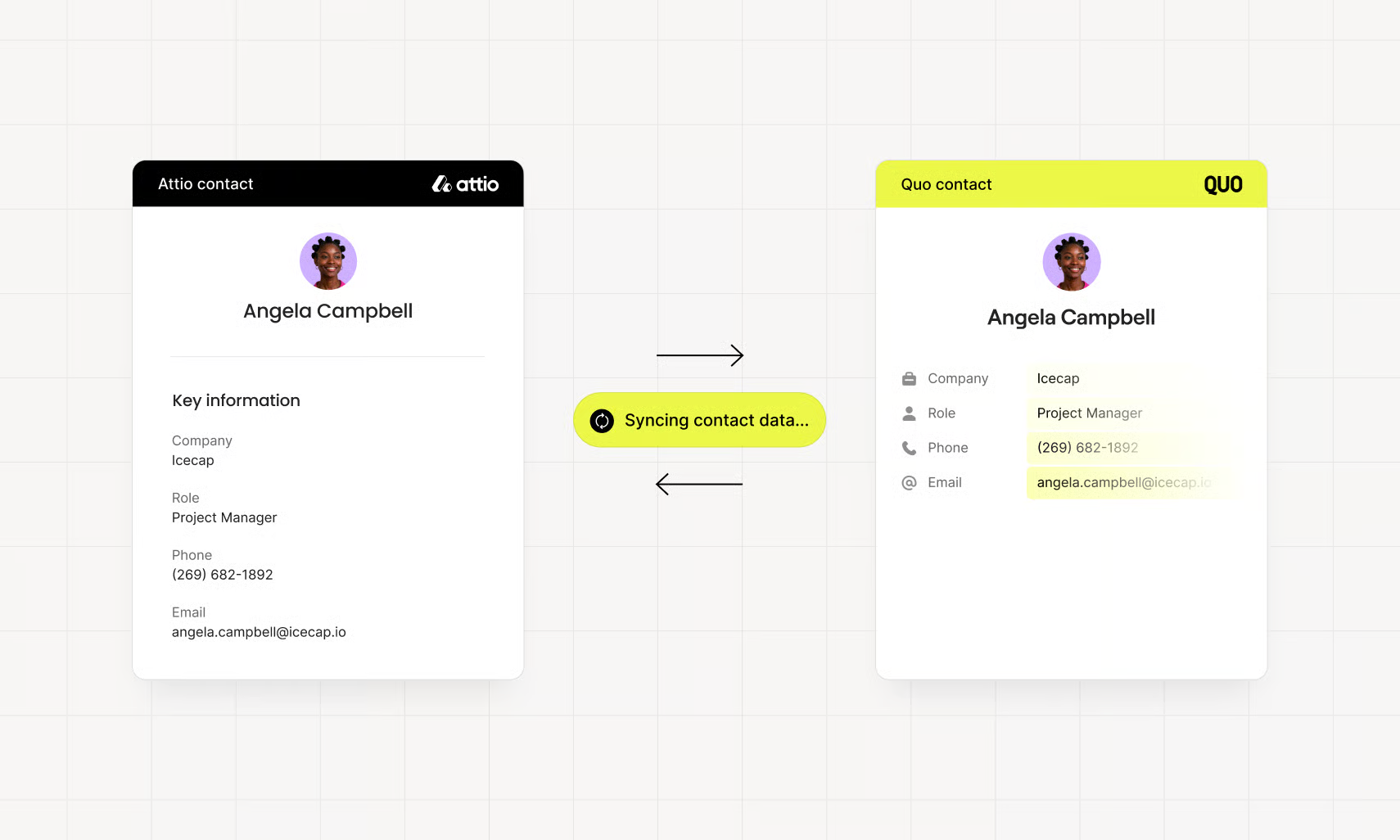
Contact sync between Quo and Attio used to run one direction: changes in Attio flowed into Quo, but updates made in Quo stayed there. Not anymore.
- Two-way contact sync. Update a contact in Quo and the matching Attio Person updates automatically; new contacts sync over too.
- Automatic company matching. Quo matches a contact's company to an existing Attio Company, or creates a new one if there's no match.
- Less duplicate cleanup. Spend less time reconciling records between the two tools.
Calls and messages still log to Attio automatically, and you can still click to call from Attio — nothing else about the integration changes.
Available on the Business and Scale plans, for workspaces with the Attio integration connected.
|
Do more in Quo without leaving Claude or ChatGPT |
|
|
|
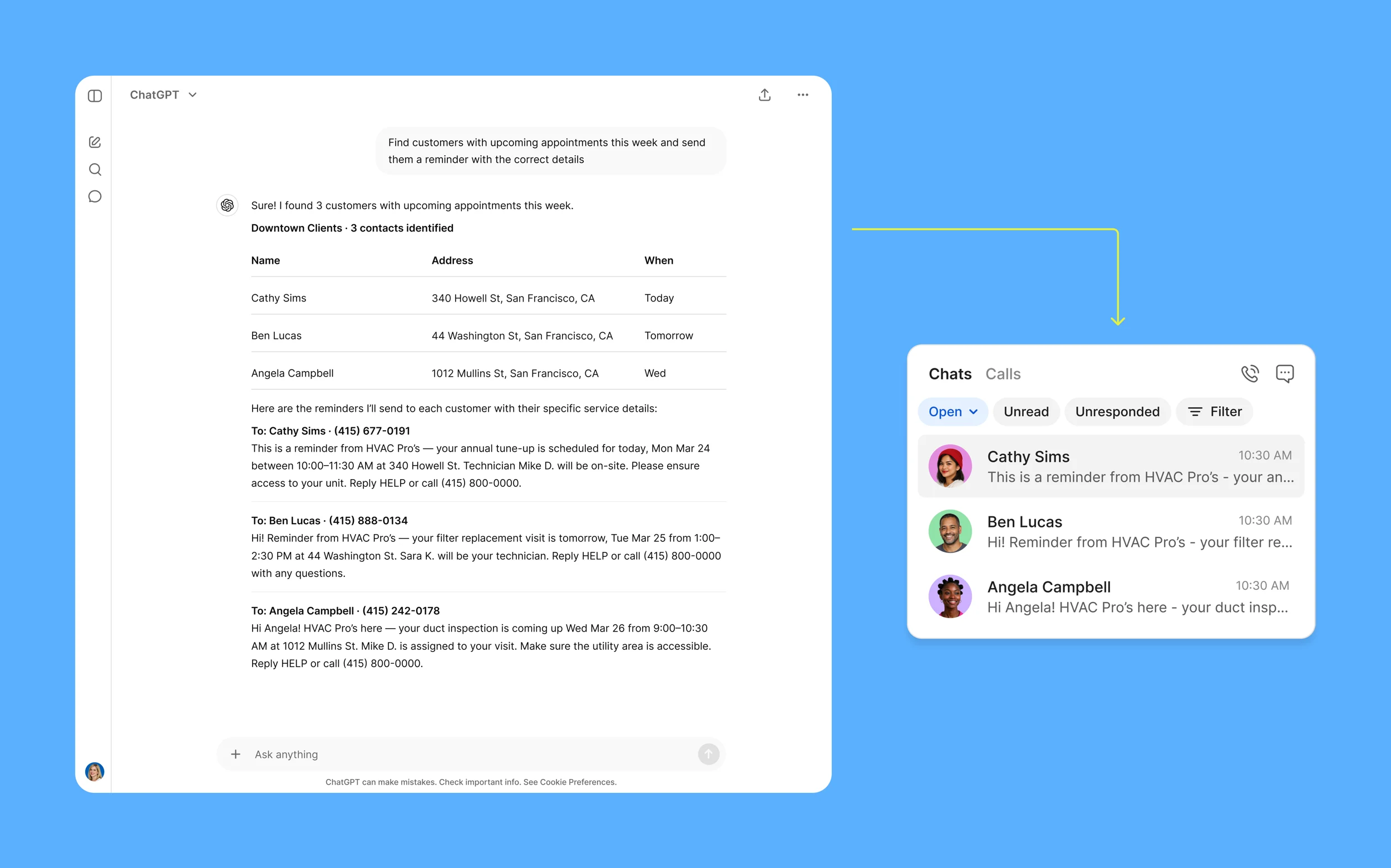
Businesses who have connected Claude or ChatGPT to Quo are using AI to surface missed leads, recap a week of calls, manage task lists, kick off a follow-up sequences and more.
Check out this webinar to see what people have been doing with the MCP connector for Quo:
|
Cheers,
Tina
Senior Product Marketing Manager
|
|
|
|
Ready to improve your team's communication?
|
Join thousands of businesses already using Quo to communicate better with their customers. |
|
|
|
Quo
2261 Market St PMB 4157
San Francisco, CA 94114-1612
🎁 Refer a friend to Quo and we'll give you a $50 gift card and your friend $20 once they've been a customer for 3 months. Cha-ching!
|
|
|
|
|
|